I started using a laptop to keep my notes for gaming campaigns in the late ’90s. I found the ability to call up characters created, plots devised and run, and use the older material to craft a much more tightly realized gaming world was very helpful. Using a laptop, I can have the notes up, characters, and even throw up .pdf copies of the rulebooks and GM screens. If there is a space issue for storage (I do ride a motorcycle most places), I can simply tote the computer with me and have everything I need.
Sometime around 2001-02, I realized the one thing I hadn’t bothered to do was add to that a die-rolling program. Here’s two I like…
Dice Mage
Dice Mage is a tiny program that can run on most Windows platforms you might be running…unless you’re reall antiquarian and running Win95 or earlier. You can get it here. It’s maybe a 1mb file and runs quickly and smoothly with not hiccups on every machine I’ve had. You can conceivably roll up to whatever number of dice you need; I’ve never rolled more than 20 at a time (for Hollow Earth Expedition…) Who knows what those WEG Star Wars fans firing off a broadside from a stardestroyer could get enough dice rolled…but it would be lighter than the wheelbarrow of plastic you’d need to bring to the game.
Graphics are simple 256 color VGA with a light ticking noise at the roll to simulate dice rolling. You can throw anything from d4 to d100.
Screenshot:
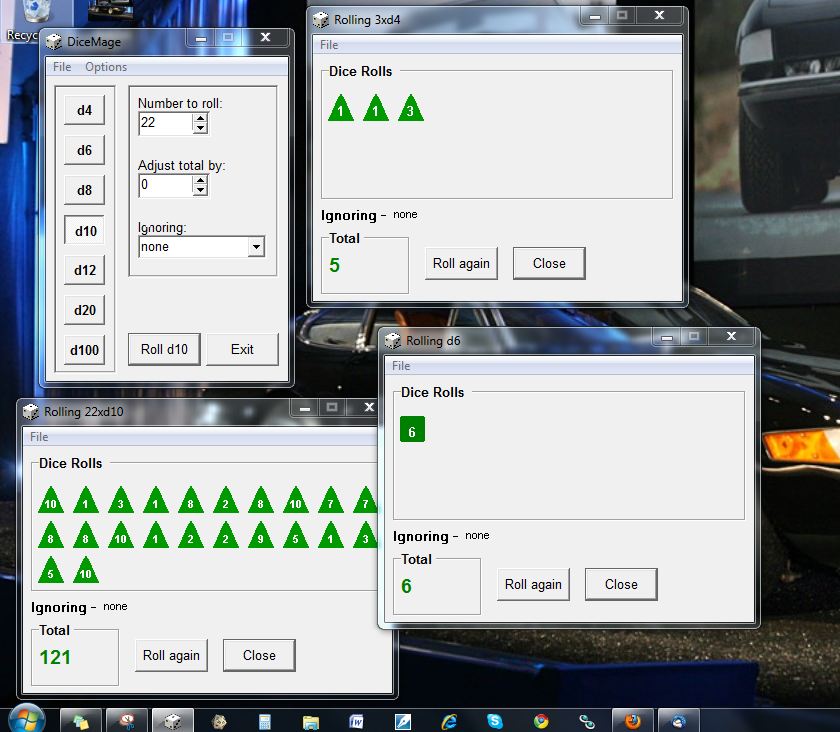
This has been my roller of choice for almost a decade. It’s simple, free, resource light, and efficient.
However, last night one of my players had Rock’n’Roll RPG Dice Roller 1.1 from Mad Ogre Games with him on his laptop. This is a flash application (I think) that rolls realistic looking dice on a variety of RPG backgrounds. Like Dice Mage, it’s strongest points is it’s free and small, but it’s also pretty, and with semi-realistic dice physics (save for the part where they roll off of the table then inexplicably, improbably wind up in the next room.) One my first test of 4d4, the dice even slide about when they had clustered, changing one roll at the last second. You have different colored die, as well.
The main limitation: you can only roll 10 dice (total) at a time, so for the heavy die-rolling games, you might have to hit the button a few times. (Fortunately, most die pool games use the same bones.) For my favorite system (of the moment), Cortex, it’s easy enough to set up d4-d12, but it seems a bit fussy with d2, d5, d7…any odd number that doesn’t have a polyhedral for it — I couldn’t get it to add the die to the pool. Setting up the die through the options screen is a bit of a pain: you have to choose the number of dice, hit “d”, then the type of die. It takes longer to set up than Dice Mage…but takes up less space on the desktop and is prettier…if that matters.
The dice can be moved about the screen, should they end up under the button by grabbing and dragging, but it you nudge other dice, you can cause them to roll to another number.
Screecap in roughly the same space as the Dice Mage:
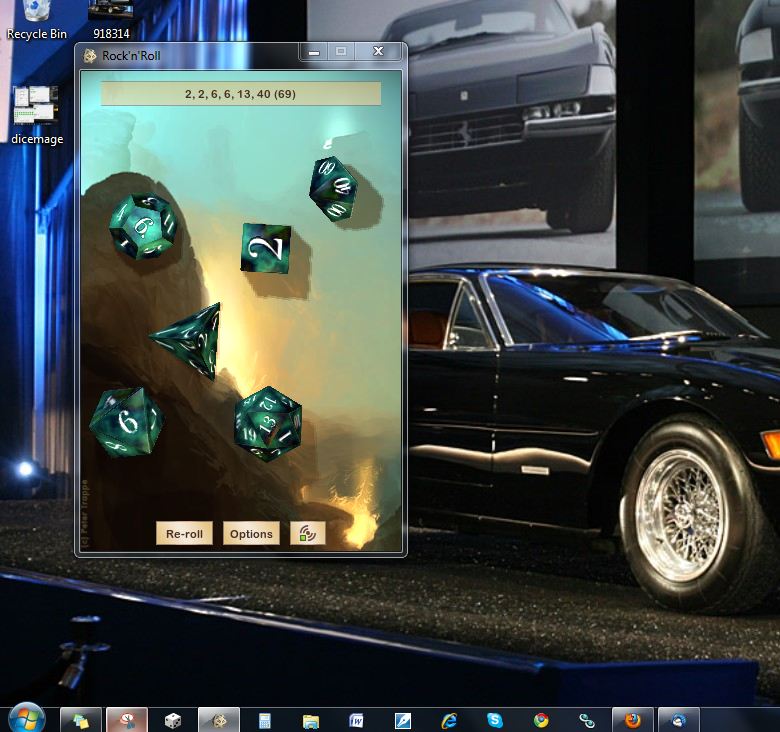
The options screen lets you clear the dice (they roll 3d6 at the start-up), and add up to 10 of “any” (read, polyhedrals it’s got modeled) dice. you can change the screen background as well from there. Sound can be turned on and off, and sounds more like real dice than Dice Mage.
The last downside I can see with Rock’n’Roll Dice is that you have to reroll all of the dice with each push (unless you set it up to roll a particular die each time.) Dice Mage has the advantage of being able to set up each die as it’s own window, but that gets messy and complex, fast…
I’ll admit — I’m used to Dice Mage, but I think I’ll give RnR die a try for a few weeks and see which one I like better.

