Technology


After a year with Virgin Mobile, I noticed my el-cheapo Samsung phone was starting to give me issues with call quality and occasional signal degradation. Since they were firing up the iPhone on the network, I thought maybe switching to a smartphone would be a nice change of pace — especially as VM doesn’t bend you over and give you the ol’ English boarding school treatment, price-wise.

The iPhone turned out to be just a bit too much for the initial outlay to justify, even though I calculated it would save me about $1000 over a two-year contract with the Evil Red One or AT&T, both of which I’ve had service issues with. I decided to settle for an Android-powered phone, but which one? Their top of the line phone was $299…same issue as the iPhone, so I settled for the mid-range HTC One V. (Normally $199 on VM.)

First, the aesthetics: the phone is lovely. Like the iPhone, it’s got a solid Gorilla glass front and it seems to resist smudges pretty well. The main body is metal — aluminum is my guess — and that makes it very very sturdy. the other smartphones I’d looked at over at the local Best Buy were plastic and felt cheap or weak. There’s a power button at the top, a volume rocker on the right, power dongle attachment on the left side. Three buttons: back, home, and multitask (to allow you to scroll through or shutdown suspended apps. It’s very thin, light, and the shape and texture of the metal makes fit well in the hand and stay there.

20120707-233529.jpg

Fired up, it was just as pretty. The screen is bright and was very visible during daylight while i was out on the motorcycle today. Call quality is good, both receiving and sending, but in speakerphone mode is pretty pathetic; the Samsung was fantastic as in speaker mode.

20120707-234125.jpg

Setup was remarkably easy. Like most iOS devices, it came with a charged battery (about 60%.) Call the number on the back, enter the serial number and my phone number was transferred with no issue. Set up of email was a pain in the ass: my Comcast account still is not set up, but hitting the Play Store (formerly the Android Marketplace) allowed me to download the GMail app and my gmail account was up in seconds. Facebook also set up immediately, as did Twitter. I was able to learn how to change wallpaper and sounds with a bit of hunting about.

Uploading pics and updating Facebook and Twitter is a snap, email works well, and the internet comes through very quickly. Virgin Mobile uses Sprint’s network and I was getting the 3G signal icon while using the internet in a nearby small mountain town. Excellent! You can fire up wifi, if you want to avoid data charges. It looks like when it’s on a wifi node it uses that for data transfer. I haven’t tried Bluetooth yet.

Camera: it’s a 5MPxl camera and the resolution leaves a bit to be desired in lower light conditions. Outside, it took nice pictures — not iPhone quality, but better than the iPad 2 which took the above photos. I’ve yet to try the video recording, but it’s supposed to be 720P. The onboard memory looks to be about 1Gb, so I dropped a $10 8Gb micro-SD card into it. That should be plenty, since it is not my go-to data device.

Overall, I am very pleased with my purchase, and so far the upgrade to the better phone allows me to really use the free data, email, text of the Virgin network. (They do throttle you after about 2.5Gb of data…) All in a month-to-month plan that after taxes is still half what I paid for comparable service with Verizon or AT&T (You listening, guys? Of course not…)

UPDATE: After living with the One V for three days, I’m happy to say that battery life seems pretty good. I’ve been using Facebook and doing a few quick internet searches, email, the camera, texting a bit, and making a few dozen minutes of calls. I’ve still got a third to a quarter the battery.

Comcast contacted me about the email issue, but so far, no combination of settings allows for connection to the server. I’ve had similar issues with my iPad and laptop when traveling; certain wifi networks Comcast simply will not work with. If they weren’t the only real choice for high-speed internet in town, I’d dump them like I did their TV service.

Some douche out of Bangladesh (allegedly) calling himself Tiger-M@te hacked the server over at the gaming blog Campaign Mastery and is awfully proud of himself for his mad skillz and his stripey bestiality.

Simply put, mate,you’re not cool wrecking somebody’s site; it just makes you a destructive asshole.

The Dragon capsule, luanched with the private Falcon 9 rocket, just was captured successfully by the International Space Station, making SpaceX the new big boy in space travel. The capsule represents a first step, but a big one — NASA outsourced resupply of the ISS because they’re bloated bureaucracy and risk aversion means they can’t launch an Estes rocket without a white paper, a few hundred million, and a dozen launch holds.

Government will be the customer for a while longer, but this is an important milestone in space — moreso than the suborbital flight of SpaceShip One.

The International Space Station seen through Dragon’s thermal camera.

Eat it, NASA!

Reminds me of the heads-up augmented reality from Ghost in the Shell, but with a less cool interface.

The neo-Luddites will whine about how this will intrude too much into our lives, or create ennui or alienate us from ourselves, or the usual whinefest about the dangers of technology. I love the idea.

Okay, I finally decided to take a chance and try to upgrade my iPad 2 to iOS 5 last week, after the disastrous first attempt. It finally went through, with no issues. So here’s what I’ve found: it’s a solid update, but it’s not going to change your life, bring you wealth and happiness, nor cause the stars to align and give us world peace, like most fanboys would have you think.

The bad: You don’t get Siri on the iPad. But then you’re not clogging the internet with useless questions to impress your friends with how Siri can do whatever. Also, iPhone users are seeing serious battery life issues thanks to iCloud synching, which drains your battery a whole hell of a lot faster than Flash ever did. One of the other culprits in this is the crap-laden Newstand app, which loads your machine up with publication specific apps (some were offered free — but not any issues…jus the app) which also ping the web regularly. You can’t delete newstand if you want to, nor hide it (easily) in a folder. It’s crap.

Also, if you have a first-generation iPad, it won’t do multitouch, as it will on iPad 2.

The good: You can use the dictionary function pretty much anywhere on the machine now. The notification center is nicer, less intrusive, but I’ve found mail doesn’t push to it particularly well. The iCloud synch for calendars and contacts is useful. I wouldn’t synch much else unless you want to have a machine that runs for 2 hours.

The really good: the Twitter integration is superb! Also, while it’s not really iOS specific, the Facebook app is near seamless. The ability to undock your keyboard and have it split for thumb use I thought would be useless — it’s not. It’s fantastically easy to type with.

The outstanding: Best of all, you’re off the iTunes synch if you dont’ want to. The iPad is now a stand-alone device. I tried wireless synching and while it takes a while, you can still use the device without issue. A top-notch improvement over the earlier iterations of iOS.

Since I run almost nothing through the iCLoud or iTunes wifi synch, I’ve had no battery issues, and have actually seen a slight improvement (I think) in battery life — about 1:10 hours/10% of battery. As said, I like the improvements to the keyboard, the wireless upgrades and synching, and find the device to be even more useful that before. I think my next experiment will be to see if I can type more comfortably over time with it that I could before. I find trying to do long manuscript work with the iPad can get tedious, and still prefer a physical keyboard.

I’ve been trying to upgrade my iPad2 since about 1100 my time. I purposefully downloaded the package rather than try a straight download and install on the off chance they would have issues with a product they’ve been hyping all year. A good call…

The Apple servers are slammed because every bloody iDevice out there is trying to upgrade, and worse — you have to go through the cowpat that is iTunes to do it. So after waiting through the glacial backup process for the iPad, I’m running into an “inner error” — that’s the verification server failing to recognize you. Worse for an iPad user: you have to wade through the backup process every damned time you make the effort to upgrade; you have to wait an hour just to get told “sorry, pal!” by the Wizards of Cupertino.

A magical device and a great customer experience, indeed.

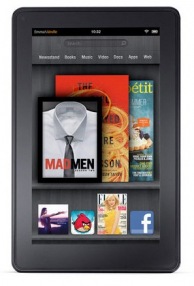
Well, that’s not exactly fair…the new Amazon Fire looks like it might be a great entry-level tablet for media consumption; the iPad’s essentially (in my opinion) the future of laptops (if they could only unlock the file system so people can use their stuff between programs/apps/whatever.) The Amazon boys have been itching to pick a fight with Apple over the latter’s insistence on trying to horn in on everyone’s business for 30%, and this is just the latest attempt to wrestle ebook and other sales from the Cupertino mob.

So what does the damn-good price of $199 buy you?

It’s about the size and weight of the Nook — with a 7″ screen with 1024/600 resolution, and it’s about twice the weight of the iPad2. It’s running a proprietary version of Android 2.3 with a proprietary browser (Amazon Silk) and looks to be fairly locked down — a complain about the Apple, but probably a good idea for stability and security. It’s got wifi but no 3G or GPS, but it does have access to one of the biggest e-media outlets and there’s apps, a-plenty. The processor is, on paper, comparable to the iPad — a 1GHz dual core with 512mb RAM (the CPU and GPU on the iPad is far superior, however), and battery life is supposed to be about 8 hours…not too shabby!

Against the other competition — Amazon’s own Kindles, and B&N’s Nook, the Fire is the clear winner. Against the iPad2? If you’re looking for a device to read, surf, and do the basics of a tablet, this is a good and cheap alternative. If you’re looking for a device that can replace your laptop — once iOS5 hits in a few weeks, the iPad is still the choice to go with.

From the folks at Scoopertino.com…


So far, I’ve very little to complain about with the new OS X upgrade save one thing…Apple fix the f#$king issue where the wifi drops coming out of sleep. Check your damned support boards — it’s happening on MacBooks, Airs, and iMacs. When the computer goes to sleep, 4 thimes out of 5 it drops the wifi connection; it’s even more ornery if you’ve switched locations.

Fix the problem! It’s really damned annoying.

Alrighty…in an apparent attempt to appear more to have joined the MacBorg, I downloaded the new OSX Lion upgrade. First, the cost — $30. For all your Macs, not a crappy single machine license for $150+ depending on where you go for Windows 7. Maybe Redmond should take a friggin’ hint… Second, the upgrade process: no disk. You download it from the Mac App Store. Download took about 30 minutes without issue. The machine ran the upgrade with no loss of personal data (although I backed up my drive just in case…) in less than the estimated 33 minutes. No issues, other than some of your programs will run as if it’s the first time. Acrobat was particularly lagging.

The machine I’m using: a MacBook Air with 128GB SSD and 4GB RAM. The speed was a bit slow for the first 10-15 minutes, I suspect as Lion figured out where all the libraries were, connected file types to programs, etc. As stated, Acrobat was slow the first time. Glacial, actually. Word for Mac was a bit laggard the first go, as well, but was very fast on firing up and bringing up a file on my SD Card the second time. Pages loaded quickly and without issues. Twitter the same.

The changes made — the two-finger swipe to scroll is reversed to copy the iPad. It’s great once you’re used to it, but swear inducing for the first few minutes. Gone is the four-finger side to side swipe to bring up the menu of open programs. I would REALLY hate this if the Mission Control feature wasn’t so good: four finger swipe up brings up all the programs and files open and groups them by the program. Swapping is easy and quick. A four finger swipe down and whatever program you’re in shows all the open files, so you can swap if you’ve got a crowded desktop; there’s a recent files list at the bottom of the screen, if you need to reopen something. Now, if you have a bunch of stuff open full screen, you can swipe left to right through the windows.

Mail looks more like the iPad. Not a huge fan of the layout, but it’s acceptable. iCal looks like the iPad, as well, but putting together an event is much much easier…when showing events by the day or week, you can drag to change times, etc. In the month view, which is what I usually run, you used to have to set up an event, then get out of it to alter it. Now you can just two-finger click and do so. Easy. Better. It still has a habit of loading up doubles of events if they were created on your iPad or iPhone as well as on the computer. A merge function would be a good idea. (If there is one, I haven’t found it and would appreciate a heads-up…)

Slightly annoying: my user name is on the menu bar and I havne’t figured out how to get it off. I know who I am, thanks, Air. Otherwise, I’d have to say it looks good and I even seem to have recovered a gig of SSD space…maybe Lion’s tighter code than Snow Leopard?

« Previous PageNext Page »